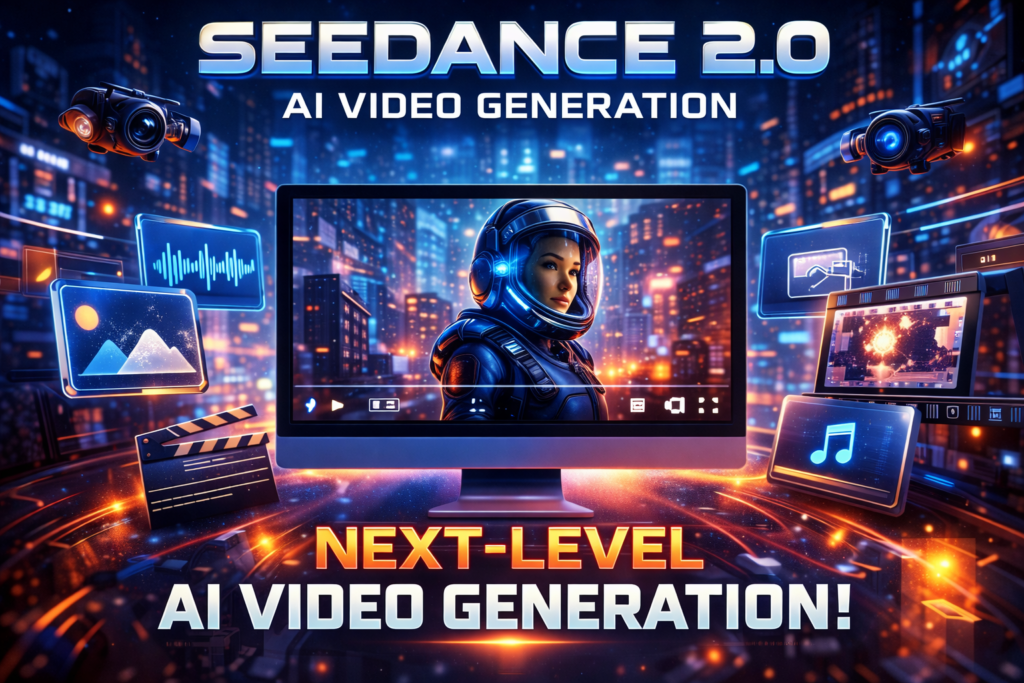
🎬 Seedance 2.0: AI Video Generation Ka Future — Ek Detailed Guide
🔎 Introduction — AI Video Generation Ab Sci-Fi Nahi Artificial Intelligence ne content creation ki duniya me ek revolution la diya hai — aur video generation wo area hai jahan Seedance 2.0 naam se ek nayi technology sabse zyada buzz create kar rahi hai. Seedance 2.0 ek next-generation multi-modal AI video generator hai jo sirf text-to-video nahi balki images, videos, audio aur text ko combine karke cinematic quality videos banata hai — woh bhi bina kisi professional video editing software ke. Seedance 2.0 creators, filmmakers, marketers, aur everyday users ke liye ek powerful tool ban gaya hai jo AI-driven storytelling ko accessible, fast aur professional quality banata hai — aur is article me hum iske features, workflows, limitations, aur use cases ko deep dive se samjhenge. 🤖 Seedance 2.0 Kya Hai? Seedance 2.0 ek advanced AI video generation platform hai jo users ko natural language prompts aur multi-modal inputs use karke professional-grade videos create karne deta hai. Seedance 2.0 me aap: Text prompts se video bana sakte ho Static images ko animated videos me convert kar sakte ho Existing video clips ko extend ya edit kar sakte ho Audio inputs ke through lip-sync aur sound create kar sakte ho Ye tool cinematic motion, continuity, aur creative control ko priority deta hai — jo traditional AI tools me missing tha. 🧠 Core Features — Kyun Ye Special Hai 1️⃣ Multi-Modal Input System Seedance 2.0 ka sabse bada advantage ye hai ki ye sirf text par depend nahi karta — balki text, images, video, aur audio ko ek saath process karke final video banata hai. Aap: 9 images upload kar sakte ho 3 video clips (total 15s tak) 3 audio files (total 15s tak)aur fir un sab ko combine karke ek unique video output generate kar sakte ho. Ye four-modal workflow thoda high-end pro software jaisa experience deta hai, jo AI video generation me ek naya benchmark hai. 2️⃣ Reference Anything — Sab Kuch Reference Ke Saath Seedance 2.0 me aap kisi bhi input ko reference ke taur pe use kar sakte ho: Motion sequences Camera movements Character appearances Effects aur visual styles For example: Agar aap ek dance motion ko replicate karna chahte ho, toh aap simply reference video aur prompt me description dekar woh motion apne generated video me use kar sakte ho — bina complex prompts type kiye. Ye reference-first approach creativity ko next level tak le jata hai. 3️⃣ Superior Visual Consistency AI video generation me sabse common problem hoti hai character drift aur visual inconsistency — matlab ek frame me subject ka look change ho jata hai. Seedance 2.0 is problem ko solve karta hai: Faces stable rehte hain across scenes Clothing aur style consistent bante hain Visual composition har frame me uniform hota hai Ye cinematic storytelling aur episodic content creation me bahut useful hota hai. 4️⃣ Precise Motion & Camera Control Seedance 2.0 me aap cinematic level camera movements bhi create kar sakte ho — jaise: Zoom Pan Tracking shots Rack focuses Aur ye motions AI automatically generate karta hai reference video se bina complicated commands ke. Ye ek creative director control jaisa feel deta hai, jo creators ko free-style logic se nikal kar well-planned visuals banane me help karta hai. 5️⃣ Built-In Audio Generation & Lip Sync AI videos bina audio ke adhoore lagte hain — Seedance 2.0 ye samajhta hai. Isme audio generation built-in hoti hai: Background music Foley sound effects Dialogue lip-syncingYe sab automatically sync hota hai visuals ke saath — bina external audio editing ke. Audio-to-video mode bhi hai jahan aap apna voiceover upload karke video narration se video bana sakte ho! 6️⃣ Video Extension & Editing Seedance 2.0 me aap simply existing video ko upload karke: Usko extend kar sakte ho Action sequences add kar sakte ho Characters replace ya remove kar sakte ho New elements introduce kar sakte ho Aur ye sab hota hai continuity preserve karte hue — yeh ek traditional video editor me possible nahi hota bina manual cutting aur keyframing ke. 🛠️ Kaise Kaam Karta Hai — Step-by-Step Guide Yahan simple workflow diya gaya hai: 🟣 Step 1: Assets Upload Images, videos, aur audio ko upload karo. Maximum 12 files ek saath combine kar sakte ho. 🟢 Step 2: Prompt Likho Natural language me bataye ki aap video me kya chahte ho — jaise camera movement, character path, style effects. Seedance 2.0 prompts ko smartly samajhta hai. 🔵 Step 3: Generate AI model input ko analyze karke video generate karta hai — jo 4–15 seconds tak ho sakta hai depending on settings. 🟡 Step 4: Download & Share Finished video ko download karo — watermark free — aur use YouTube, Instagram, TikTok, ya professional workflows me use karo. 📌 Video Quality & Format Support Seedance 2.0 ka focus hai: 🎥 1080p HD / 2K HD quality video🎯 Multiple aspect ratios — 16:9, 9:16 (vertical), 4:3, 1:1📁 Output in standard MP4 format — ready for social media and broadcast. Advanced visual style generation jaise photorealism, anime, cinematic visuals, aur user-defined aesthetics sab supported hain. 🎯 Use Cases — Kis Ke Liye Useful Hai? 📌 Content Creators & Influencers Seedance 2.0 videos fast produce karta hai — short reels, product promos, storytelling clips, all ready for YouTube Shorts, Instagram Reels, and TikTok. 📌 Filmmakers & Storyboard Artists Pre-visualization aur motion ideas test karne me Seedance 2.0 bohot useful hai — quick cuts aur scenes generate karne me time save hota hai. 📌 Marketers & Advertisers Product showcase, brand stories, presentation videos — sab AI se faster aur professional style me ban sakte hain. 📌 Educators & Trainers Text content ya diagrams ko visual narratives me transform karke engaging lessons create kiye ja sakte hain. ⚙️ Pricing & Accessibility Seedance 2.0 me: ✔ Free daily credits for testing✔ Subscription plans with higher usage✔ Pay-per-creation or credit bundles for heavy users Platform browser-based hai — kisi bhi device se, bina software install kiye use kar sakte ho. 💡 Pros & Cons 👍 Benefits ✔ Cinematic results without pro skills✔